Install the app
Quick installation to get started with Parcel Protect.

Install the app directly from the Shopify App Store and your orders will sync automatically. Protection activates as soon as your policy is live.
Native Wix integration that works with your existing checkout flow. No coding required.
Coming Soon. Contact us to learn more.
Using a platform not listed here? Contact us.
Quick installation to get started with Parcel Protect.
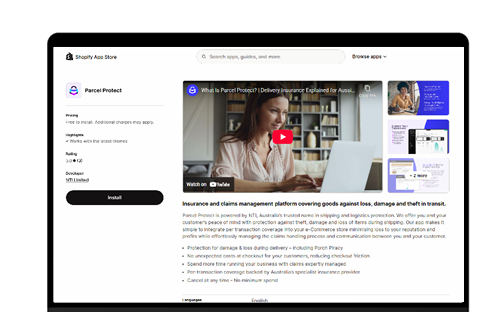
Simple setup process to configure your account and preferences.
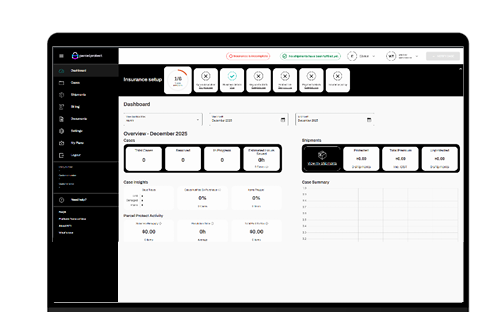
Generate your customer claims portal link and add it to your site.
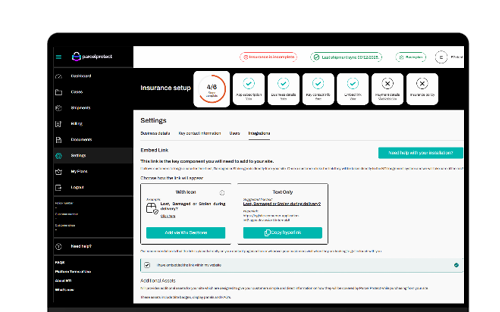
Instant dashboard updates when orders are insured and protection becomes active.
Real-time status updates as claims move through our system to resolution.
Immediate notification to customers when cases are resolved.

No - Parcel Protect works in the background rather than being embedded into your checkout. Instead, shipments are tracked in the backend so that when your customer has an issue we can match their item to our database.
No coding required for standard setups, however some of our clients find adding their custom claims link a bit tricky (depending on which Shopify theme you are using). Our apps are installed like any other store app with simple configuration. If you need assistance however, our team is more than happy to help.
Our analytics dashboard presents your sales via resupply numbers so you can view how many additional sales you have made via Parcel Protect resupply. We display this as a core function of how Parcel Protect works – we simply repurchase the item without any excess or cost to you. Meaning you get an additional sale for every lost, damaged, or stolen good covered by us. You also can view an ‘estimated saved hours’ number to quantify your savings when it comes to staff time spent managing claims.
prefer stores that include delivery protection^
^source: NTI ecommerce customer survey, 2023.